Portable USB Voice Recorder: 8GB vs 32GB Guide
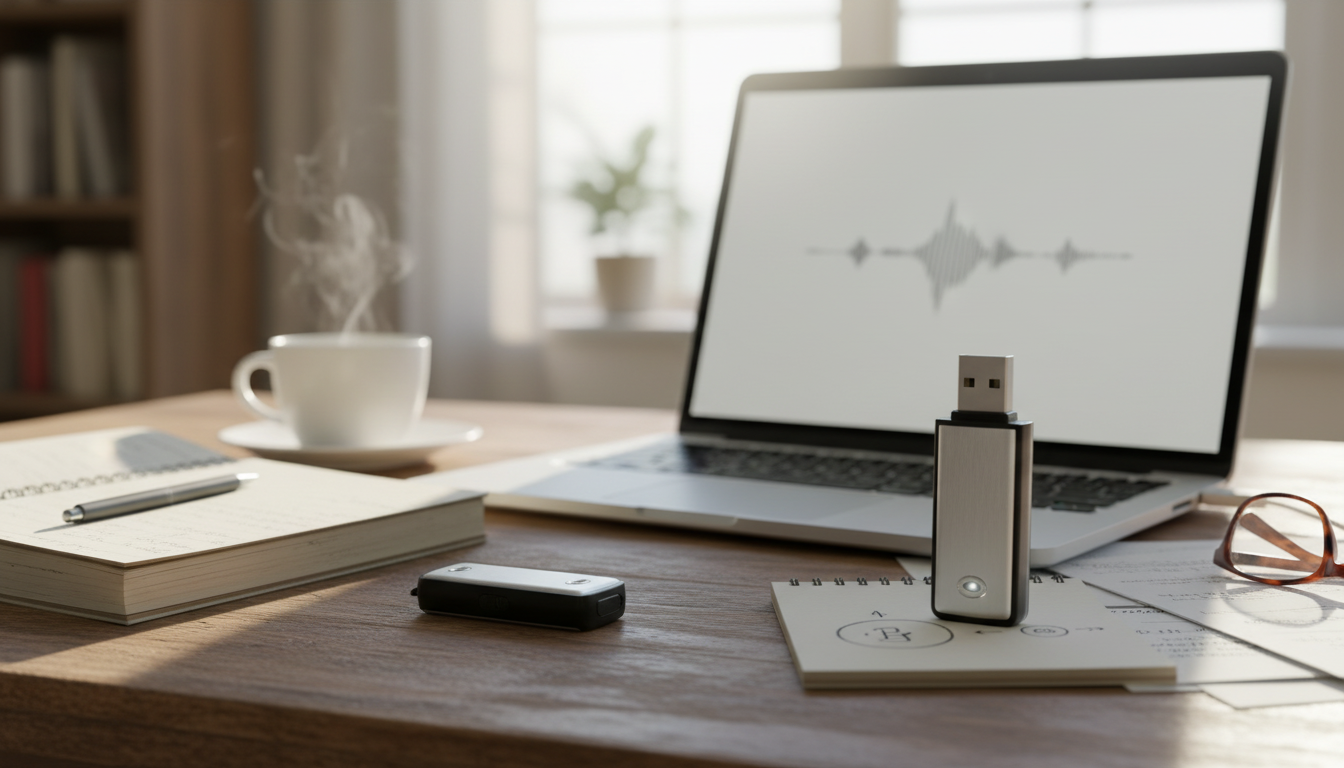
Portable USB Voice Recorder: A Simple Way to Capture Clear Notes Anywhere
A pocket-size audio recorder can capture lectures, meetings, interviews, and quick reminders without relying on a phone battery or getting interrupted by notifications. A compact USB voice recorder keeps the workflow straightforward: press record, save the file, and plug it into a computer to organize and archive. This guide covers what to expect from a portable recorder, how 8GB and 32GB storage options compare, and the practical details that matter day to day—recording habits, file handling, and responsible use.
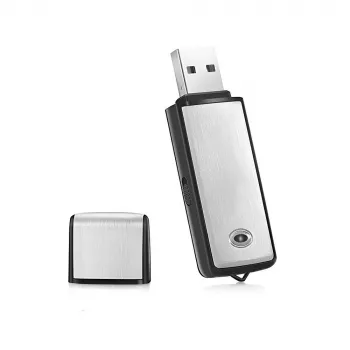
If you’re ready to pick one up, see the Portable USB Voice Recorder & Digital Audio Sound Recorder with 8GB/32GB Storage for a lightweight, plug-and-transfer approach that works well for voice-first recordings.
What This USB Voice Recorder Is Designed For
A small USB voice recorder is built for spoken audio capture with minimal setup. It’s a practical fit when speed and simplicity matter more than a feature-heavy app.
- Fast capture for speech: classes, meetings, memos, interviews, brainstorming sessions
- Discreet, lightweight carry for on-the-go note taking and travel
- Simple transfer: plug into a computer via USB to copy recordings for archiving or sharing
- Backup option when a phone is unavailable, low on battery, or needed for other tasks
Many people use a dedicated recorder specifically to separate “capturing” from “processing.” Record now, sort later—without worrying about incoming calls, storage warnings, or accidentally switching apps mid-conversation.
8GB vs 32GB Storage: Choosing a Capacity That Fits
Storage size affects how often you need to offload files and how comfortable you’ll feel letting recordings accumulate between transfers. The best choice depends less on single-session length and more on your weekly recording volume.
- 8GB suits lighter use such as short notes, weekly meetings, or occasional lectures
- 32GB suits heavier use such as multi-day events, frequent interviews, or long-form study sessions
- Larger storage reduces the need to regularly offload files and makes organization easier
- Best practice: offload and label files regularly regardless of capacity to prevent accidental overwrites
Storage Option Comparison
| Option | Best for | Pros | Trade-offs |
|---|---|---|---|
| 8GB | Short voice notes and occasional sessions | Lower cost, plenty for basic use | Requires more frequent file transfers |
| 32GB | Frequent recording and longer sessions | More room for long recordings and archives | Can encourage keeping too many unlabeled files if not organized |
A helpful rule: if you routinely record multiple times per day (or you tend to forget to offload files), 32GB reduces friction. If recordings are occasional and you prefer to keep a tidy, minimal library, 8GB can be a clean, budget-friendly fit.
Everyday Workflow: Record, Save, Transfer
The best results come from a consistent routine. A few small habits prevent lost context and messy file piles.
- Recording routine: start a session before the conversation begins to avoid missed context
- File management: rename recordings by date + topic (example: 2026-07-13_ProjectSync)
- Transfer method: connect via USB and copy files to a dedicated folder on a computer or external drive
- Backup habit: maintain at least one secondary copy for important interviews or coursework
For organization, a simple folder structure works well: “Recordings > 2026 > 2026-07” with filenames that start with the date. That way, files sort naturally, and it’s easy to find a session later without opening each recording.
Audio Quality Tips for Cleaner Speech Recordings
Clear speech usually comes from smart placement and reducing noise sources, not complicated settings. Small changes in distance and handling can make a bigger difference than most people expect.
- Placement matters more than specs: keep the recorder closer to the speaker and away from rustling fabric
- Reduce handling noise: set it down on a stable surface when possible
- Control the room: choose quieter spaces; turn off fans or move away from vents if possible
- For groups: place centrally, or record closer to the primary speaker and repeat questions when needed
- Test before critical sessions: do a 10-second clip and play it back to confirm audibility
If a meeting room is echoey, move closer rather than turning up “sensitivity” by default. Distance adds room sound; closeness adds clarity. When possible, avoid placing the recorder on a vibrating surface (like a laptop keyboard area) that can transfer tapping noise into the recording.
Compatibility and File Use on Common Devices
For quick listening after you transfer a file, a small speaker can make review easier in a shared space. The RGB Wireless Bluetooth 5.3 Speaker is a handy add-on for louder playback when you’re summarizing notes with a team or reviewing a group discussion at home.
Where This Recorder Fits in a Small Audio Setup
Responsible Recording and Consent Basics
For general privacy guidance and data handling basics, the Federal Trade Commission’s privacy resources are a practical starting point: https://consumer.ftc.gov/topics/privacy. For an overview of U.S. wiretapping concepts and consent frameworks, see Cornell Law School’s Legal Information Institute: https://www.law.cornell.edu/wex/wiretapping.
Quick Buying Checklist
FAQ
Is 8GB enough for lectures and meetings?
8GB is typically enough for lighter use like shorter lectures, weekly meetings, and quick voice notes. If you record frequently or capture longer sessions, 32GB gives more breathing room, but regular offloading and clear file naming help either way.
How are recordings transferred to a computer?
Connect the recorder to a computer via USB and copy the audio files over like you would from a flash drive. Organizing by date/topic and keeping a second backup folder makes important recordings easier to find and safer to store.
Can recording a conversation be illegal?
Yes—laws vary by location, including one-party versus all-party consent requirements, and workplace or school policies can also restrict recording. When unsure, ask for permission and record only for a clear, legitimate purpose.




Leave a comment