Use ChatGPT as a Personal Assistant: Planning to Privacy

ChatGPT, Your Personal Assistant: Practical Ways to Simplify Work and Life
A personal assistant only earns its keep when it saves time, reduces mental clutter, and fits naturally into your routines. ChatGPT can do that well—especially for planning, writing, summarizing, decision support, and structured thinking—when you provide clear context, constraints, and an expected output format. The goal is simple: fewer open loops, faster drafts, and a reliable “next step” whenever you feel stuck.
What a “personal assistant” workflow looks like with ChatGPT
The most effective assistant-style use looks less like a single question and more like a short, repeatable loop: define the role, provide the context, request a deliverable, then review and refine.
- Define a role and scope: scheduler, writing aide, study partner, research helper, or household planner.
- Provide context upfront: goals, deadlines, preferences, tone, and constraints (budget, time, tools).
- Ask for a specific deliverable: checklist, calendar plan, email draft, comparison table, or step-by-step procedure.
- Create a loop: draft → review → refine, ending with a “sanity check” for missing steps or risks.
- Keep a running “profile” note: priorities, routines, and standard formats to paste into new sessions.
Assistant-style tasks and the best output to request
| Task | What to provide | Best output format |
|---|---|---|
| Weekly planning | Appointments, priorities, energy levels, available hours | Time-block schedule + top 3 outcomes + contingency plan |
| Email and messaging | Recipient, goal, tone, key points, constraints | 2–3 draft options + subject lines + follow-up message |
| Meeting prep | Agenda, attendees, desired decisions, background notes | Briefing doc + questions to ask + decision criteria |
| Learning a topic | Current level, target goal, time available, resources | Lesson plan + daily practice + quiz questions |
| Household coordination | Meals, dietary needs, budget, schedule, leftovers | Meal plan + grocery list sorted by aisle + prep timeline |
| Decision support | Options, must-haves, nice-to-haves, deal breakers | Pros/cons table + recommendation + risk list |
Set up ChatGPT to work like a dependable helper
Consistency is what turns helpful replies into a practical system. A small “instruction block” you reuse (and tweak over time) usually delivers better results than starting from scratch each time.
- Start with structure: role, objective, and formatting rules (bullets, tables, concise).
- Use constraints to prevent rambling: word limit, number of options, and required sections (summary, steps, risks).
- Add “ask before you assume”: require clarifying questions if key info is missing.
- Maintain continuity: paste your key notes at the top of a new session (projects, preferences, definitions, status).
- Finish with verification: ask it to flag assumptions and uncertainties, and provide sources when applicable.
For platform-specific guidance and account help, reference the OpenAI Help Center.
Daily-life systems that save time immediately
When you use ChatGPT like an assistant, the biggest wins tend to come from repeatable routines—small systems that remove daily decision fatigue.
- Morning launch plan: generate a 10-minute prioritization routine (top outcomes, quick wins, blockers, and the “first action” for each).
- Errand batching: combine locations, time windows, and dependencies into an efficient route and checklist.
- Meal planning automation: rotate favorites, plan leftovers on purpose, and keep a stable grocery-list format you can reuse weekly.
- Family/shared schedules: produce a weekly overview plus reminders and responsibilities by person.
- Personal admin: draft scripts for calls, create checklists for recurring paperwork, and track renewal dates and deadlines.
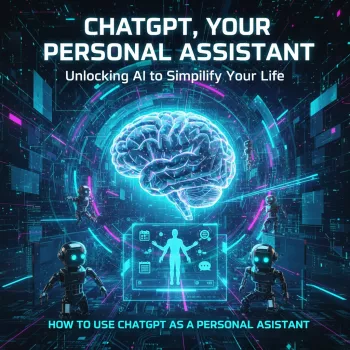
If you like having a dedicated playbook of routines and templates, ChatGPT, Your Personal Assistant: Unlocking AI to Simplify Your Life is a practical, ready-to-apply guide that fits well into a weekly reset or a daily planning habit.
Work and study support without the overwhelm
ChatGPT is strongest when you treat it like a fast collaborator: it can generate options and structure quickly, while you control the facts, priorities, and final decisions.
- Writing acceleration: move from blank page to outline, then to first draft, then to a tightened rewrite in your preferred tone.
- Actionable summaries: request key takeaways, decisions made, open questions, and next steps—clearly separated.
- Research assistance: ask for an annotated list of sources plus a “what to verify” checklist before you rely on details.
- Study plans: spaced repetition schedules, practice questions, and explanations calibrated to your current level.
- Interview/presentation prep: talking points, objections, Q&A rehearsal, and a slide-by-slide narrative you can practice.
For risk-aware use and governance ideas, the NIST AI Risk Management Framework is a helpful reference point.
Reusable request templates you can copy-paste
Accuracy, privacy, and responsible use
For consumer protection and truthfulness considerations, review the FTC’s guidance on AI and truthfulness.
A structured guide for turning ChatGPT into a day-to-day assistant
To make your setup more comfortable during planning sessions or focus blocks, an RGB Wireless Bluetooth 5.3 Speaker can be a handy desk companion for timers, ambient sound, or audio notes.
FAQ
Can ChatGPT replace a human personal assistant?
It’s excellent for drafting, planning, summarizing, and generating structured options, but it can’t execute tasks in the real world, access accounts, or guarantee accuracy. It works best paired with your calendar, task manager, and a simple review habit.
What should be included in a good request to get reliable results?
Include the role, goal, relevant context, constraints, and the exact output format you want (table, checklist, drafts, or steps). Ask it to list assumptions and what needs verification before you act on the result.
Is it safe to share personal information with an AI assistant?
Share as little sensitive information as possible and remove identifiers whenever you can. Never share passwords, full financial details, or confidential client data, and review the platform’s privacy controls and policies before using it for sensitive workflows.






Leave a comment