AI Classroom Checklist: Safe, Effective Teaching Routines

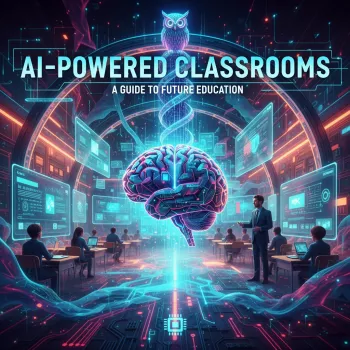
AI-Powered Classrooms: A Printable Digital Checklist for Educators
AI tools can streamline planning, personalize practice, and reduce repetitive tasks—when they’re introduced with clear boundaries, student safety, and instructional purpose. A practical way to keep implementation consistent is to rely on a single, repeatable checklist that covers goals, guardrails, and quality control from the first pilot to an everyday routine.
What an AI-Powered Classroom Looks Like (In Practice)
An AI-powered classroom isn’t one where software “teaches” instead of the teacher. It’s one where AI supports instructional decisions while the teacher remains the designer of learning goals, success criteria, and assessment. The most effective classrooms use AI for specific, high-leverage tasks and make expectations explicit for students.
- Teacher-led by design: AI can suggest options, but the teacher determines what aligns to standards, student needs, and classroom culture.
- Common use cases: differentiation pathways, faster feedback cycles, language supports, lesson materials, and quick formative checks.
- Clear expectations: students know what they may use, when they may use it, and how they still demonstrate learning.
- Routine over novelty: choose one use case, pilot it, reflect, then scale.
Start Here: Classroom AI Readiness Checklist
Before introducing any tool, define the “why,” confirm policy alignment, and set privacy guardrails. This upfront clarity prevents last-minute confusion and keeps AI use instructional rather than incidental.
- Clarify the learning problem: time-saving (planning/grading/admin) vs. learning support (practice/feedback/accessibility).
- Confirm policy alignment: school/district guidelines, acceptable tools list, and parent/guardian communication requirements.
- Set privacy guardrails: no student PII, no sensitive data, and clear rules for accounts and logins.
- Define human-in-the-loop steps: specify where teacher review is required before anything is used or shared.
- Choose success metrics: reduced planning time, improved feedback turnaround, increased student revisions, or stronger mastery checks.
Quick Checklist: From Idea to Classroom Routine
| Phase | What to Decide | Checklist Items |
|---|---|---|
| Plan | Purpose + boundaries | Learning objective; approved tool; what AI may/may not do; student expectations |
| Prepare | Inputs + materials | Rubric; exemplar; prompt templates; citation/attribution rules; accessibility supports |
| Pilot | Small-scale trial | One class/one unit; collect samples; note misconceptions; adjust scaffolds |
| Protect | Safety + integrity | No PII; secure storage; plagiarism/originality expectations; transparent use statements |
| Review | Impact + next steps | Time saved; student outcomes; equity checks; revise policy and templates |
High-Value AI Use Cases for Daily Teaching
Keeping use cases narrow makes implementation easier to monitor and improves instructional quality. Start with tasks where AI can speed up drafts, generate options, or reduce repetition—while the teacher verifies accuracy, tone, and alignment.
- Lesson planning acceleration: generate lesson outlines, discussion questions, hooks, and differentiation options—then adapt to standards and classroom context.
- Formative assessment: create exit tickets, quick checks, and multiple versions at different reading levels or with language supports.
- Feedback and revision cycles: draft feedback stems aligned to a rubric; students respond with an action plan and revision evidence.
- Small-group instruction support: generate targeted practice sets based on observed errors, with teacher verification before use.
- Family communication drafts: create readable, translated, tone-appropriate updates for newsletters or progress notes (with confidentiality safeguards).
Student-Facing Routines That Build Responsible Use
When students use AI, the goal is stronger thinking—not faster shortcuts. Build routines that make process visible and require students to show how their work improved.
- Require transparency: students add a brief “AI use note” describing how the tool helped and what they changed.
- Teach prompt literacy: define role, task, constraints, audience, and success criteria; revise requests based on evidence.
- Focus on thinking artifacts: outlines, annotated sources, draft-to-final change logs, and reflections reveal learning beyond the final paragraph.
- Use structured protocols: “AI for ideas, not answers” (brainstorming); “AI as a coach” (rubric feedback); “AI as a translator” (accessibility).
- Create a classroom AI agreement: acceptable use, academic integrity, respectful language, and consequences for misuse.
Assessment, Academic Integrity, and Quality Control
Strong assessment design reduces misuse and improves learning. Emphasize reasoning, process, and evidence—and incorporate checks that confirm student understanding.
- Align tasks to what matters: add oral checks, in-class drafting, or short conferences when appropriate.
- Use rubrics that reward ownership: prioritize clarity of argument, quality of evidence, and reflection on revisions—not just polished phrasing.
- Teach verification habits: fact-check claims, triangulate sources, and require citations for external information.
- Build “AI-resistant” elements: local data, personal observations, class experiments, and prompts tied to shared materials.
- Set clear boundaries: clarify when AI is permitted, when it is prohibited, and how students document use.
Equity, Accessibility, and Privacy Essentials
Responsible implementation means protecting student information and ensuring benefits don’t depend on extra devices, paid accounts, or prior experience.
For broader policy guidance and research-based considerations, reference UNESCO’s guidance for generative AI, the U.S. Department of Education AI resources, and the OECD overview on AI in education.
Printable + Digital Checklist: Classroom Implementation Kit
Recommended Classroom Resources (In Stock)
- AI-Powered Classrooms | Printable Digital Checklist for Educators | How Can AI Be Used in Education | Teaching with Artificial Intelligence Guide ($4.99)
- RGB Wireless Bluetooth 5.3 Speaker ($32.51)
FAQ
How can AI be used in education without replacing the teacher?
Keep the teacher in control of learning goals, success criteria, and assessment, and use AI mainly for drafting materials, differentiation ideas, and feedback suggestions. Require teacher review before anything is assigned or shared and have students provide evidence of learning beyond the final product.
What should never be entered into an AI tool at school?
Never enter student personally identifiable information or sensitive records such as names, IDs, IEP/504 details, health data, or discipline notes. Use anonymized examples and follow school-approved tools and data-handling policies.
How can students use AI ethically on assignments?
Students should disclose how they used AI, verify facts, cite sources for outside information, and keep drafts or revision notes that show their thinking. Clear classroom boundaries for what’s allowed vs. not allowed make expectations consistent and fair.




Leave a comment